
As a small business owner, I’ve witnessed firsthand how the landscape of business management has evolved dramatically in recent years. One of the most significant changes I’ve observed is the growing importance of scheduling software in day-to-day operations. When I first started my business, I struggled with paper schedules and spreadsheets, but I quickly realized that these traditional methods weren’t cutting it anymore.
I’ve learned that efficient scheduling isn’t just about organizing shifts – it’s about boosting productivity and ensuring employee satisfaction. Through my experience consulting with other small business owners, I’ve seen how the right scheduling solution can transform a workplace. Teams become more coordinated, communication improves, and there’s a notable decrease in scheduling conflicts and no-shows.
Like many small business owners, I initially faced numerous challenges in managing schedules. From dealing with last-minute shift changes to coordinating time-off requests, these tasks were consuming hours of my week. That’s why I decided to thoroughly research and evaluate different scheduling solutions, focusing on key criteria such as ease of use, cost-effectiveness, and scalability.
Understanding Scheduling Software Features
Core Functionality
When I began exploring scheduling software options, I discovered that certain features are absolutely essential. Automated scheduling quickly became my favorite feature, allowing me to create schedules in minutes rather than hours. The shift management capabilities have been a game-changer, enabling me to handle shift swaps and coverage gaps efficiently.
I can’t stress enough the importance of mobile accessibility and cloud-based solutions. My team members can now check their schedules, request time off, and swap shifts right from their smartphones. This flexibility has significantly improved our operational efficiency. The cloud-based nature of modern scheduling tools means we can access our schedules from anywhere, at any time.
Another feature I’ve come to rely heavily on is real-time updates and notification systems. When schedule changes occur, everyone gets instant notifications, eliminating the confusion and miscommunication that often plagued our previous scheduling system.
Advanced Capabilities
Through my research and implementation experience, I’ve found that the best scheduling software offers robust integration options with existing business tools. Whether it’s connecting with payroll systems or HR platforms, these integrations have streamlined our administrative processes considerably.
The reporting and analytics features have been invaluable for making data-driven decisions. I can now track labor costs, analyze scheduling patterns, and identify areas for improvement. This insight has helped me optimize our staffing levels and reduce overtime expenses.
One feature that my employees particularly appreciate is the employee self-service portal. They can manage their availability, request time off, and even pick up extra shifts without having to go through a supervisor. This autonomy has notably improved workplace satisfaction and reduced the administrative burden on our management team.
Top Scheduling Software Solutions for 2025
Premium Options
In my extensive testing of various platforms, Connecteam stands out for its comprehensive business management features. Beyond basic scheduling, it offers tools for task management, employee communication, and time tracking. I’ve found its interface particularly user-friendly, making it an excellent choice for businesses that want an all-in-one solution.
Homebase has impressed me with its specialized small business tools. Their attention to compliance features and labor law updates has been particularly valuable. The platform’s ability to handle multiple locations and complex scheduling scenarios makes it a strong contender for growing businesses.
Deputy has caught my attention with its advanced scheduling capabilities. Their AI-powered auto-scheduling feature and sophisticated wage calculation tools have proven extremely useful for businesses with complex scheduling needs.
Budget-Friendly Alternatives
For businesses watching their budget, I’ve found When I Work to be an excellent choice. It offers core scheduling features at a more accessible price point, without sacrificing essential functionality. Their free trial period gave me ample time to evaluate if it met our needs.
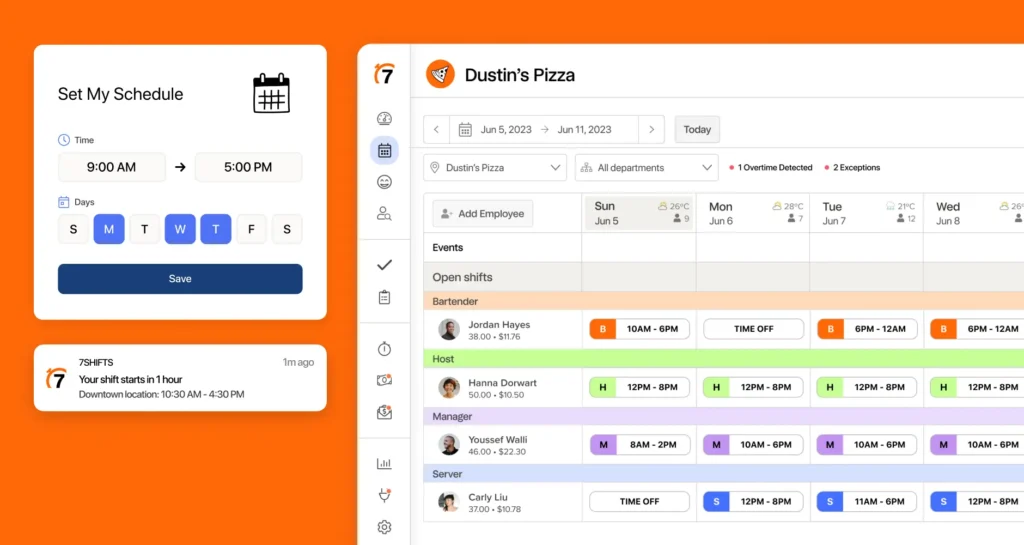
In the restaurant industry, 7shifts has become a go-to solution. Their focus on restaurant-specific features like tip pooling and section management makes them particularly valuable for food service businesses. I’ve recommended it to several restaurant owners who’ve reported positive results.
For service-based businesses, Calendly offers straightforward appointment scheduling tools that integrate well with existing calendars. While it may not have all the features of comprehensive workforce management solutions, it excels at its core function of appointment scheduling.
Selection Criteria and Implementation
Business Size Considerations
From my experience working with various businesses, I’ve learned that team size significantly impacts scheduling needs. Small teams of under 20 employees might find simple scheduling tools sufficient, while larger organizations typically need more robust features for managing complex schedules and multiple departments.
When it comes to scalability, I always advise considering future growth. The software you choose should be able to grow with your business. I’ve seen too many businesses outgrow their initial solution and face the hassle of switching platforms.
Pricing models vary significantly, and I’ve found that per-user pricing isn’t always the most cost-effective for growing businesses. Some platforms offer tiered pricing that can be more economical as your team expands.
Industry-Specific Requirements
For retail businesses, I recommend focusing on features like shift swapping and peak hour scheduling. These businesses often need flexible scheduling options to handle seasonal changes and varying store hours.
In service-based companies, appointment scheduling and client management features are crucial. I’ve seen how the right scheduling software can improve customer satisfaction by reducing double-bookings and streamlining the appointment process.
The healthcare and hospitality sectors have unique requirements, including compliance with specific regulations and the need for 24/7 coverage. I’ve found that specialized solutions for these industries often include features like certification tracking and complex rotation patterns.
Conclusion
After years of experience and countless conversations with fellow business owners, I’ve learned that choosing the right scheduling software comes down to understanding your specific needs. Consider your business size, industry requirements, and growth plans when making your decision.
I recommend starting with a thorough assessment of your current scheduling challenges and future needs. Make a list of must-have features and nice-to-have additions. Don’t forget to consider your budget and the technical capabilities of your team.
For successful implementation, I suggest starting with a pilot program in one department or location. This approach allows you to iron out any issues before rolling out the software company-wide. Train your team thoroughly and establish clear procedures for using the new system.
Finally, to maximize the benefits of your chosen scheduling software, regularly review its usage and gather feedback from your team. Stay updated with new features and updates, and don’t hesitate to reach out to customer support when needed. Remember, the right scheduling software isn’t just a tool – it’s an investment in your business’s efficiency and growth.